
Gmail Storage Full? Why Your Photos Are the Real Problem (and How to Fix It)
Gmail shares your 15 GB with Google Photos, so a full inbox is often a photo problem. Here's how to check where the space goes and fix it fast.

Michal Wlosik
· 6 min read
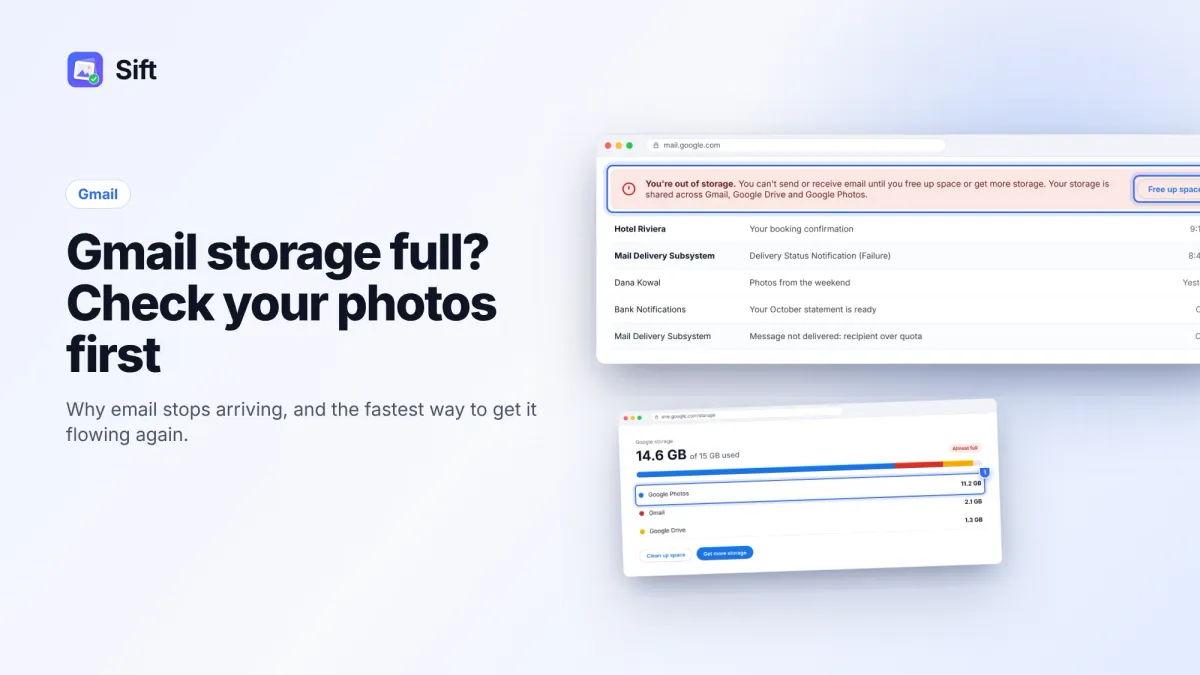
Short answer: Gmail storage is full because Gmail shares your free 15 GB with Google Drive and Google Photos, and photos and videos usually take most of it. Check one.google.com/storage to see the split. Free space in Google Photos first, since that's where the fastest gigabytes are, then delete large attachments in Gmail. Once you're under 15 GB, email starts arriving again.
If you've seen "You're out of storage" in Gmail, here's why it happens and how to fix it in the right order.
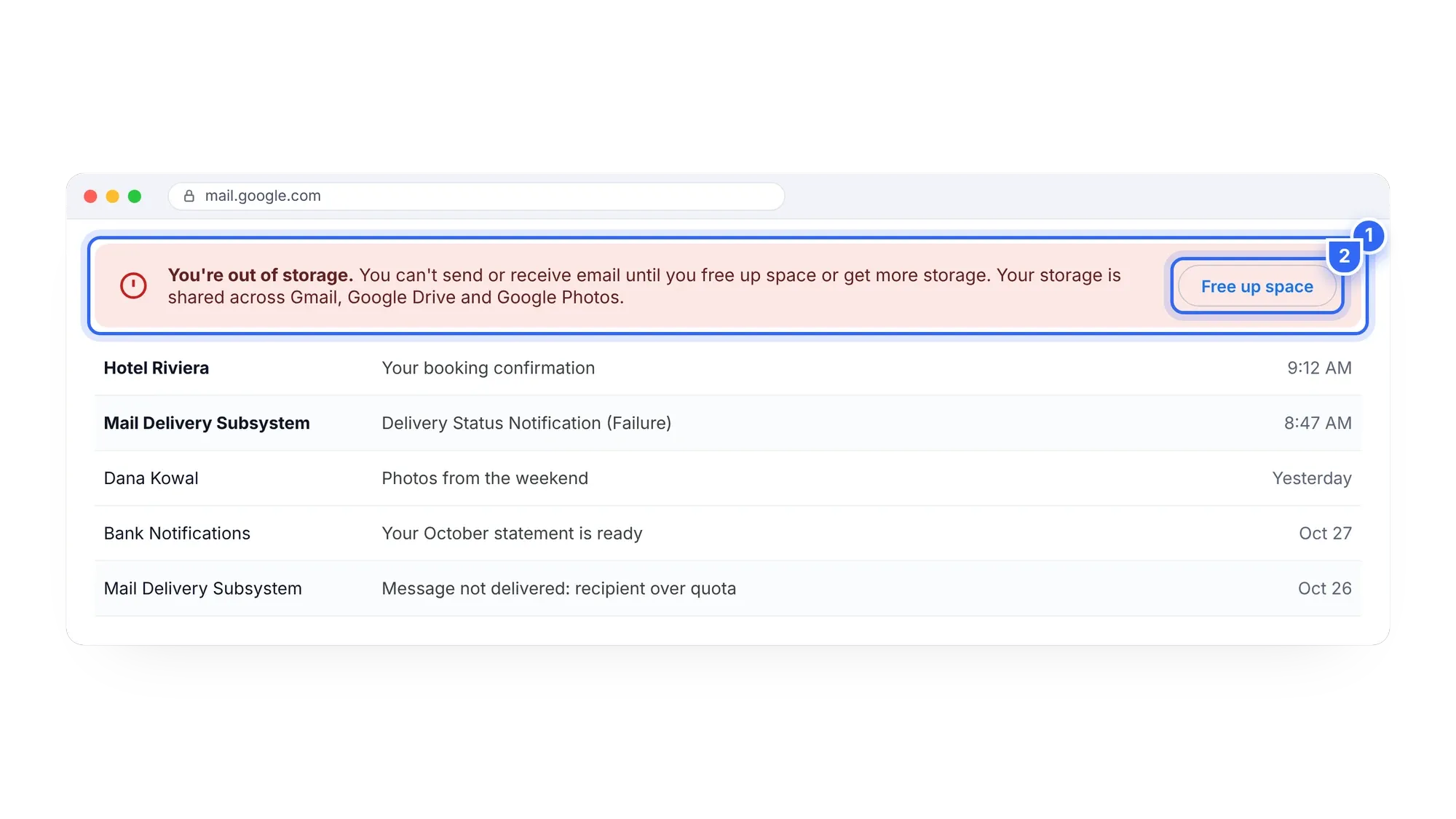
Why Gmail storage is full when your inbox is small
Every Google Account gets 15 GB of free storage. It's one shared pool across Gmail, Google Drive and Google Photos, not 15 GB each. Since June 1, 2021, every new photo and video backed up to Google Photos counts toward that pool, in every quality setting.
So your inbox might hold only 2 GB of email, but if your phone has backed up 12 GB of photos, Gmail still says it's out of storage. Deleting old emails helps a little. Deleting a few large videos helps a lot more.
This is the most common surprise: the warning shows up in Gmail, but the cause sits in another app.
What happens when Gmail is out of storage
When the shared 15 GB is full:
- Gmail can't send or receive messages. People who email you get a bounce, so you can miss bills, delivery notices and work replies without knowing.
- Google Drive can't upload, sync or create new files.
- Google Photos stops backing up your phone.
If you stay over the limit for 2 years or more, Google's policy says your content may be deleted. The bounced email is the urgent part, though. Fix it today.
How to check Gmail storage
Here's how to check Gmail storage and see what's really using it:
- Open one.google.com/storage, or click the storage figure at the bottom of the Gmail sidebar on a computer.
- Look at the breakdown. It shows Google Photos, Gmail and Google Drive separately.
- Find the biggest number. In most personal accounts, it's Google Photos.
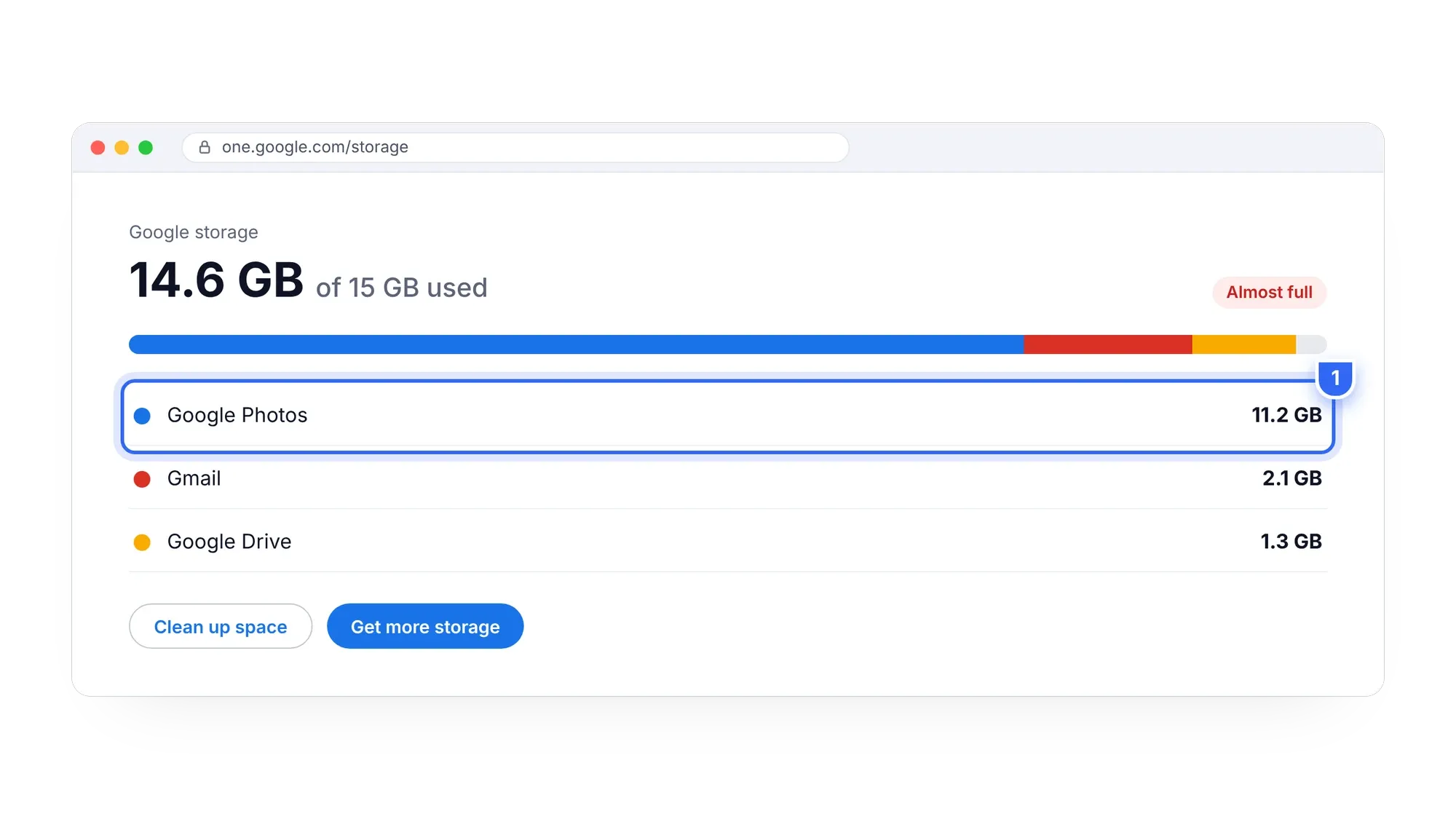
If Gmail itself is the biggest share, skip ahead to the Gmail-only cleanup below. For everyone else, photos are the real problem, and the fastest fix.
Fix Gmail storage full by freeing space in Google Photos
Photos and videos are large, so a few deletions free a lot of room. Start with the items that give back the most space.
- Delete large and long videos. A single long 4K video can be several gigabytes. On photos.google.com, search "Videos" and delete what you don't need. Google Photos doesn't sort by size, so this takes some scrolling. Our guide to finding large videos in Google Photos has tips.
- Remove duplicates. Google Photos has no built-in duplicate finder. Edited copies, re-downloaded copies and burst look-alikes all count. See how to remove duplicates in Google Photos.
- Clear screenshots and chat photos. Search "Screenshots" and delete in batches. Use the checkmark next to a date to select a whole day, or Shift+click to select a range.
- Empty the trash. Deleted items stay in trash for 30 days and still count until then. Go to Collections or Library, then Trash, then Empty trash. More in our Google Photos trash guide.
Before you delete, know this: if backup is on, deleting a backed-up item in Google Photos also removes it from every device with backup on. To keep the copy on your phone, turn off backup first. And if you want to keep everything, back up originals to your own drive, then delete them from the cloud.
The faster way with Sift
Sift is a Chrome extension that works through the Google Photos website. It finds large videos (over 100 MB, biggest first), long videos (over 5 minutes), duplicates, screenshots and WhatsApp, Messenger and Signal photos, and shows how much storage each group would free before anything is removed.
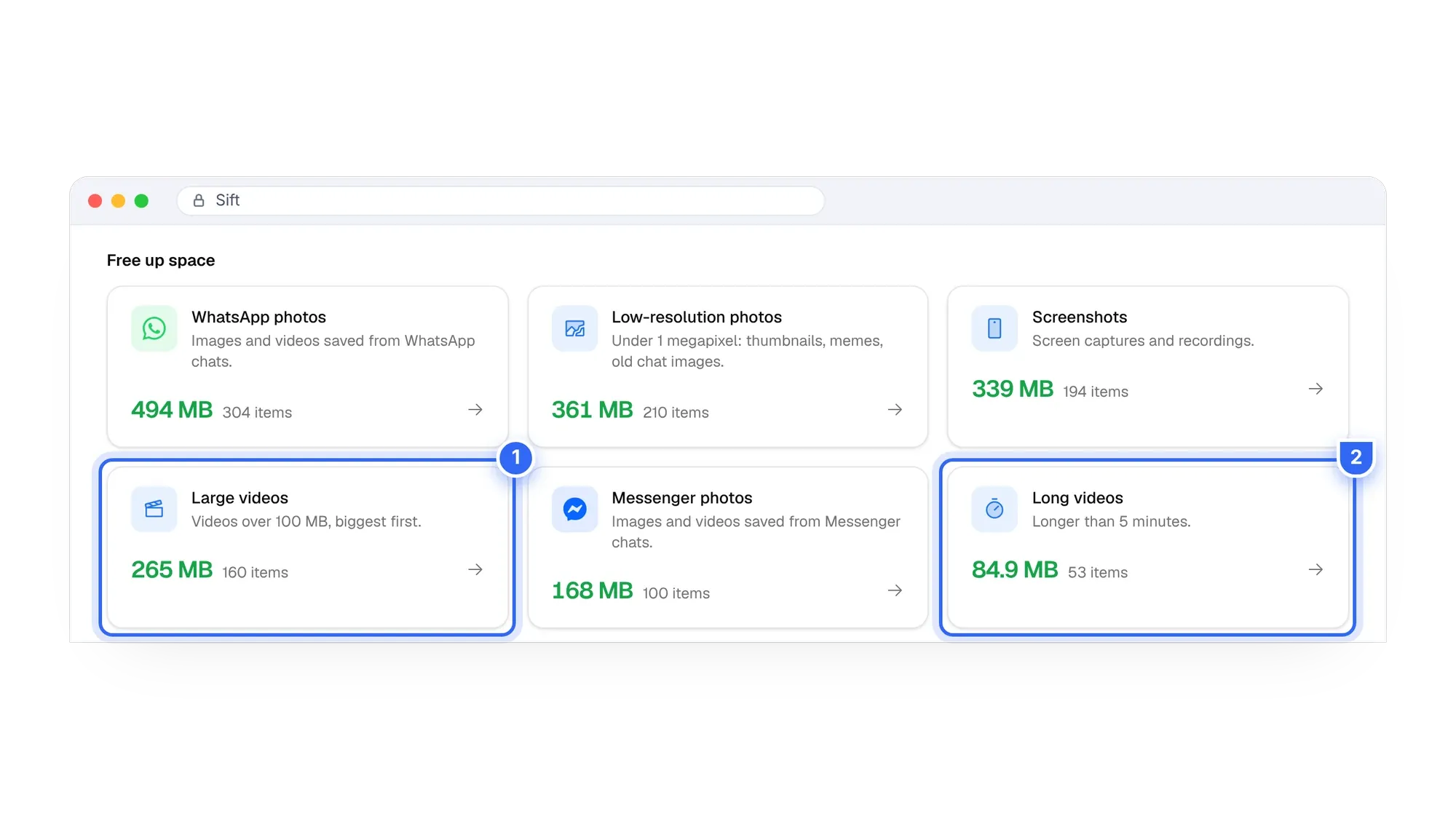

Get your email flowing again. Sift finds the biggest videos and duplicates in your Google Photos, and the free version frees up to 1 GB with no card.
How to clean up Gmail storage (Gmail-only cleanup)
If Gmail is a big share too, or you've cleared Photos and want more room, these steps take a few minutes.
- Find large attachments. In the Gmail search box, type
has:attachment larger:10M. Change the number tolarger:5Mto catch more. Download anything you need, then select and delete the rest. - Clear Promotions. Open the Promotions tab, tick the select box at the top, choose "Select all conversations" if it appears, and delete. Old offers and newsletters add up.
- Search old mail. Try
older_than:2ytogether with a sender you don't need, such as a shop or a social network. - Empty Spam and Trash. Both still count toward storage. Gmail clears them after 30 days, but emptying them now frees the space today.
Gmail cleanup usually frees hundreds of megabytes. Photos cleanup often frees several gigabytes. That's why we suggest starting with Photos.
Gmail vs Photos cleanup at a glance
| Gmail cleanup | Google Photos cleanup | |
|---|---|---|
| Typical space freed | Hundreds of MB | Often several GB |
| Best first move | has:attachment larger:10M | Delete large videos |
| Built-in tools | Search operators | Search, no size sort, no duplicate finder |
| Trash holds items for | 30 days | 30 days |
| Faster option | Bulk select in search | Sift: sorted by size, frees shown first |
Should you just buy more storage?
Google's 100 GB plan costs about $20 to $24 a year in the US. It works, but you pay every year, and the library keeps growing. If most of your space is duplicates and old videos, cleaning up is cheaper and leaves you with a library that's easier to browse.
Sift's free plan scans everything and frees up to 1 GB. Personal is $19 one time for unlimited cleanup and backup to your own drive. See Sift pricing. If you already pay Google and want to stop, read how to cancel Google One without losing your photos.
For a full walkthrough covering Photos, Gmail and Drive together, see our main guide on how to clean up Google storage.
Stop the bounced emails without a new plan. Sift shows how much each group of photos and videos would free, so you get under 15 GB in one session.
FAQ
Why does Gmail say I'm out of storage?
Gmail shares 15 GB with Google Drive and Google Photos. If photos and videos fill that space, Gmail runs out too, even if your inbox is small.
Will I lose emails when Gmail storage is full?
Existing email stays. New messages can't arrive and senders get a bounce. Google's policy says content may be deleted only if you stay over the limit for 2 years or more.
How do I check Gmail storage?
Go to one.google.com/storage, or click the storage figure at the bottom of Gmail on a computer. It shows Gmail, Drive and Photos separately.
What's the fastest way to free Gmail storage?
Delete large videos in Google Photos, then empty the Photos trash. In Gmail, search has:attachment larger:10M and delete big attachments.
How long until Gmail works again after I free space?
Once you're under 15 GB, Gmail can receive mail again. Empty the trash so deleted items stop counting, and give the storage figure some time to update.
Clear the photos first, then the attachments, and your inbox will be back to normal.
Sift is independent and not affiliated with Google. Google Photos details checked in October 2026 and may change.
Written by
Keep reading

How to Find and Delete Large Videos in Google Photos
Videos are usually the biggest thing in your Google storage. Here's how to find large videos in Google Photos, back up the keepers, and delete the rest safely.
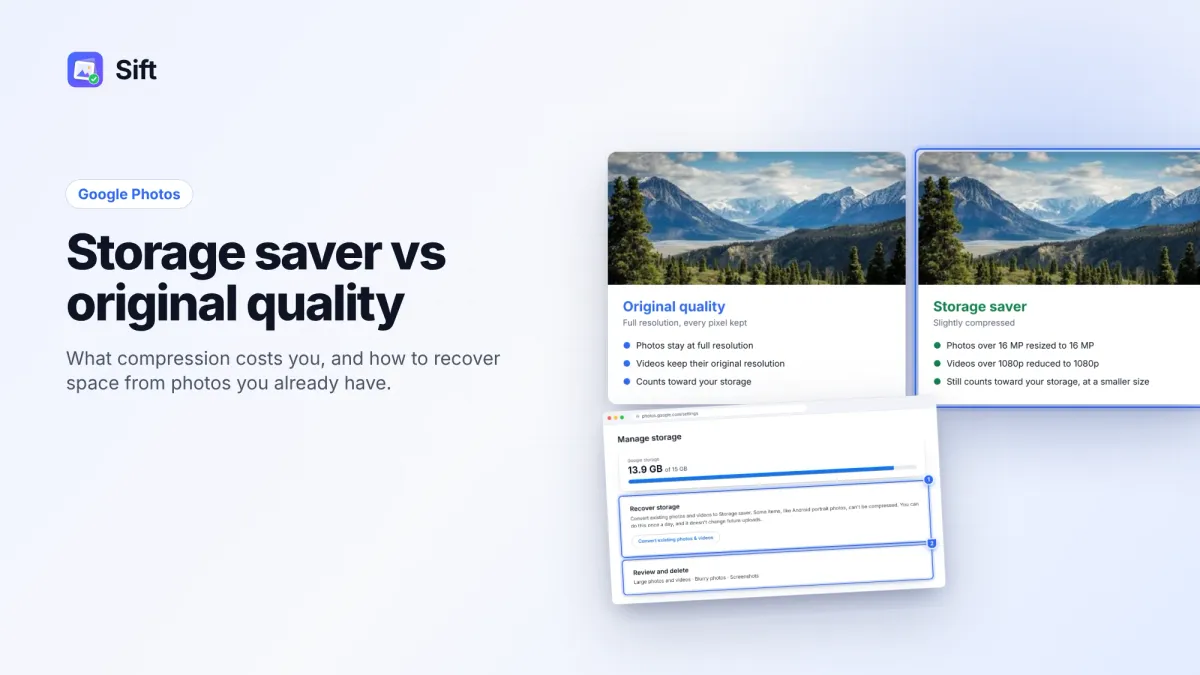
Storage Saver vs Original Quality in Google Photos: Which to Choose (and How to Recover Space)
Storage saver resizes photos to 16 MP and videos to 1080p; Original quality keeps everything. Here's who notices, how to switch, and how Recover storage works.
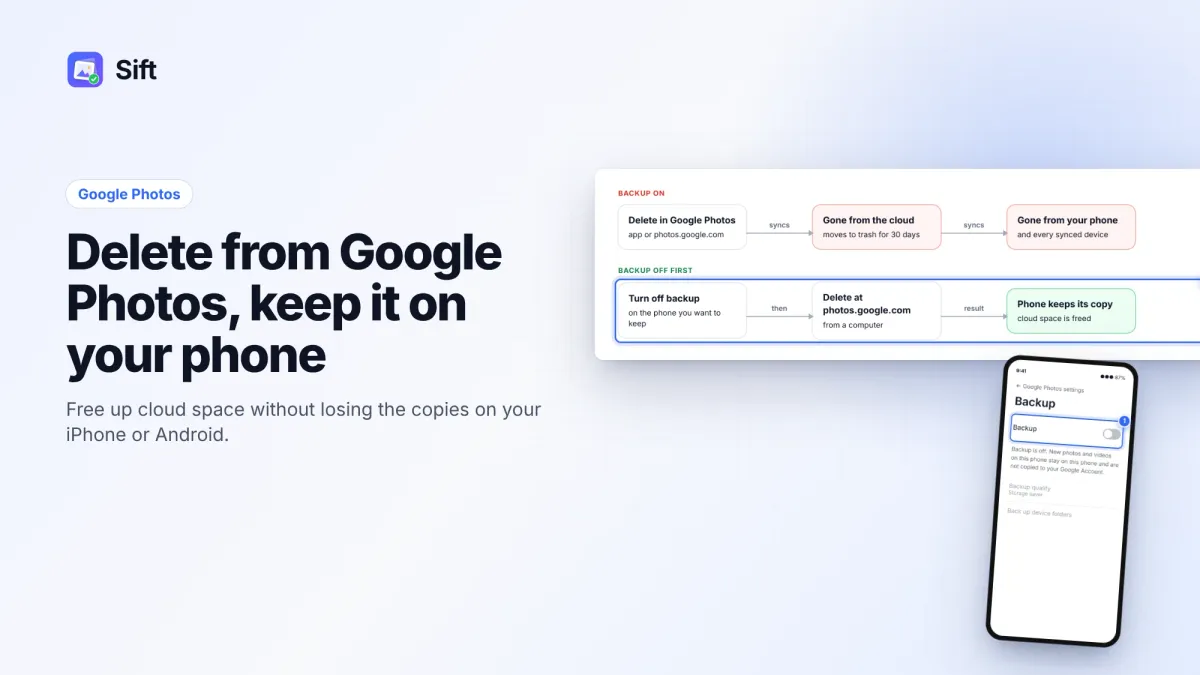
How to Delete Photos from Google Photos Without Deleting Them from Your Phone
Deleting in Google Photos also deletes from your phone when backup is on. Here's the safe order on Android and iPhone, and why "Free up space" does the opposite.
Questions or thoughts? Share them below.